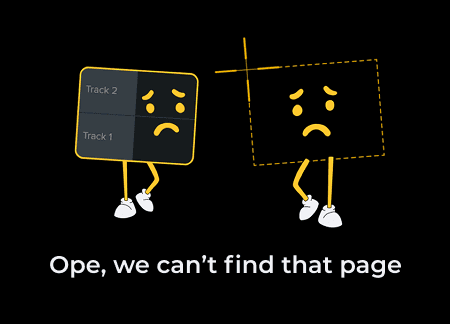
Frowning screenshot and video editor timeline cartoons with text below "Ope, we can't find that page"

TechSmith 404 error page

Prioritizing an informative user experience especially when users take a wrong turn

Frowning screenshot and video editor timeline cartoons with text below "Ope, we can't find that page"

TechSmith 404 error page

Prioritizing an informative user experience especially when users take a wrong turn

Overview

To recover high-intent traffic, I transformed TechSmith’s 404 error page from a confusing dead end into a strategic redirection tool. Through iterative design, I implemented clear navigational pathways that turn technical friction into opportunities for support and conversion.

The problem

The original 404 page failed to communicate that the intended page is no longer active. By providing no context or next steps, it created a dead end for potential customers.
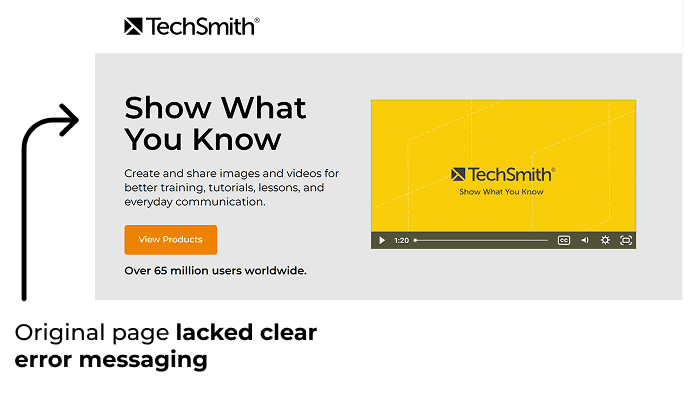
A screenshot of the original TechSmith 404 error page. The design features a light gray background with a large "Show What You Know" heading, a brief description of their services, and a "View Products" button. An annotation with a black arrow points to the heading, stating, "Original page lacked clear error messaging."

The impact

The current UX creates user frustration within the sales funnel, leading to high bounce rates among high-intent users at the point of conversion.

Solution

I redesigned the 404 page to be informative and helpful, turning a technical error into a redirection tool that guides users and keeps them engaged.

Competitive analysis

After analyzing how other companies handle 404 errors, some clear themes stood out - transparency and redirection. Most successful pages lead with a clear statement that the link was inactive and offered options to help users get back on track.

By clarifying that the page is unavailable and offering a primary CTA to contact support, I aimed to eliminate customer confusion.

Additionally, to maintain user momentum, I’ve incorporated options that align with TechSmith’s goals, including options to view products, explore blog posts, and learn from tutorials. These updates ensure that even when a user hits a dead end, they are seamlessly guided back to relevant content.

User Flow

The new page design moves users from an error state towards support, product education, and key conversion paths.
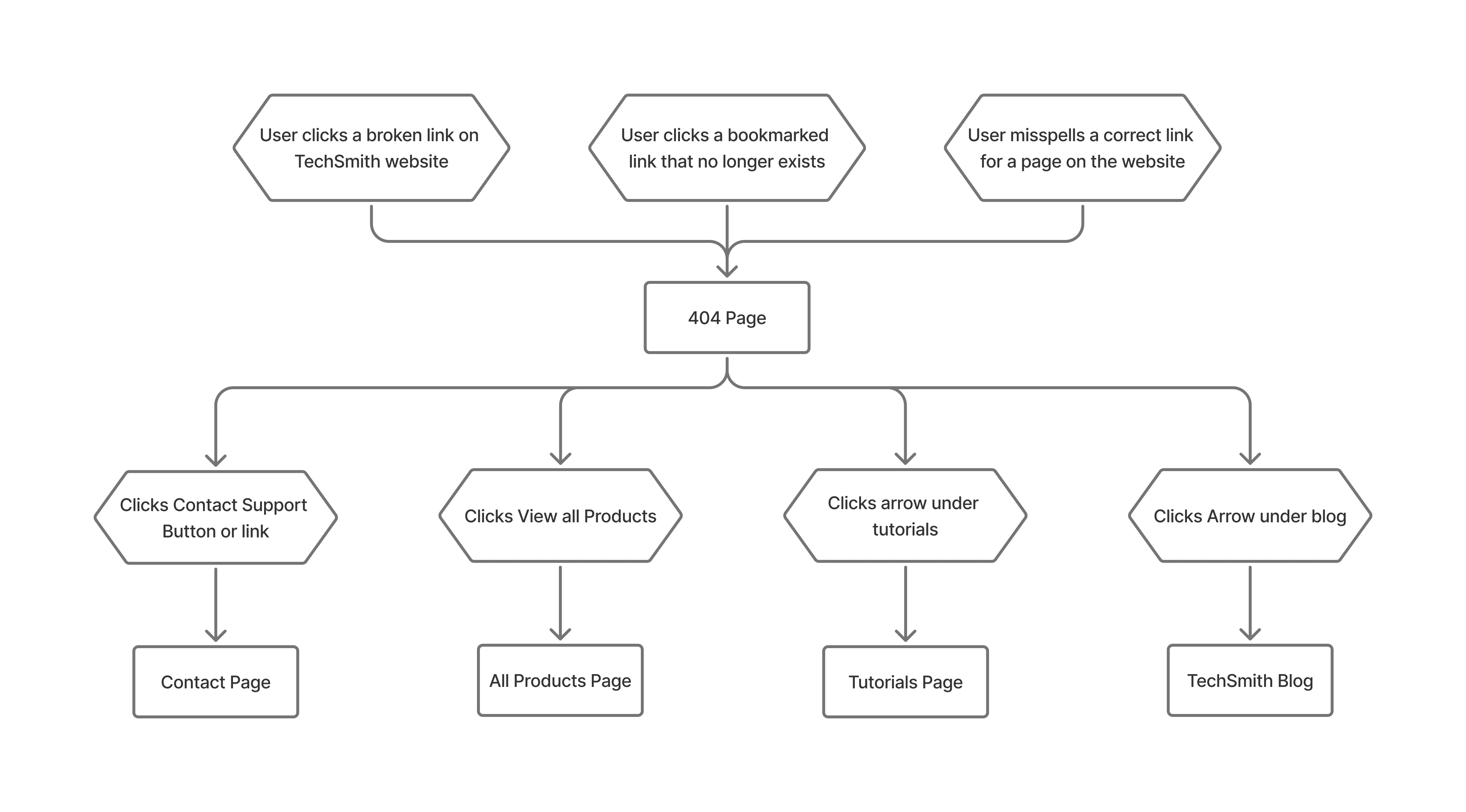
A user journey flowchart illustrating how a visitor interacts with a TechSmith 404 error page. The diagram is organized into three stages: entry points, the 404 page itself, and the resulting destinations (blog, all products page, tutorials).

Prototype phase

During this phase, I explored multiple design directions through an iterative process. Each version below includes a breakdown of successful elements and identified areas for improvement, documenting the path toward the final high-fidelity solution.

Version 1
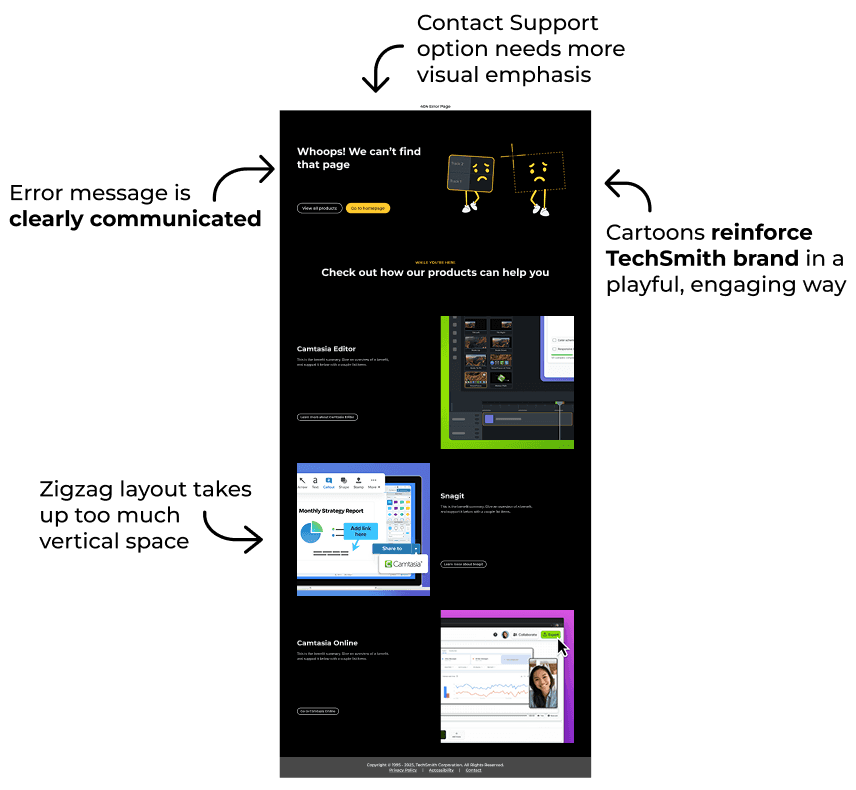
A mockup of a revised 404 page design. The top section features the text "Whoops! We can't find that page". Below this, a section titled "Check out how our products can help you" uses a vertical zigzag layout to showcase Camtasia Editor, Snagit, and Camtasia Online. Annotations note that the error message is clearly communicated and the cartoons reinforce the brand, but comments that the Contact Support option needs more emphasis and the zigzag layout takes up too much vertical space.

Version 2

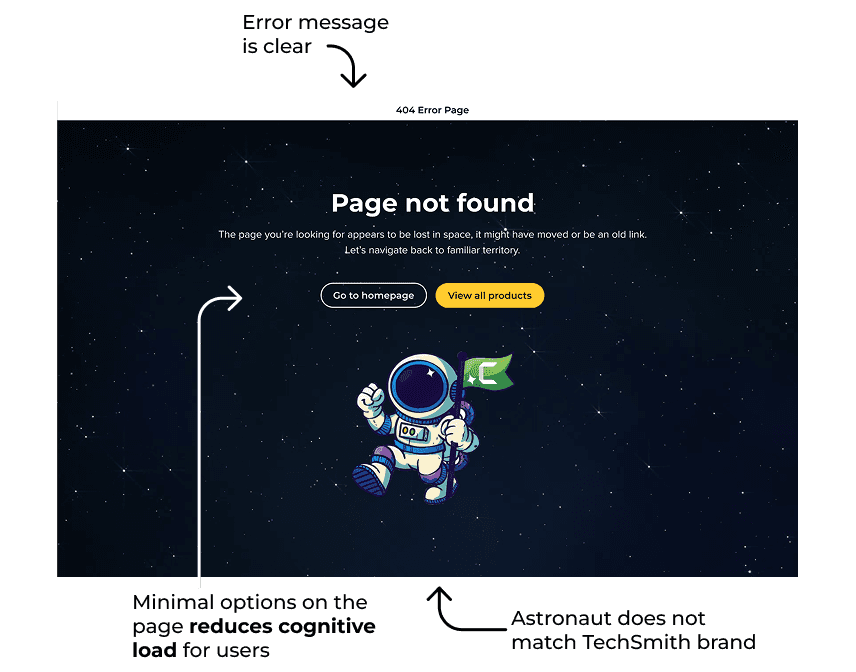
A mockup of a 404 page with a space theme. The background features a starry night sky, accompanied by the heading "Page not found" and two buttons: "Go to homepage" and "View all products." Centered at the bottom is a cartoon illustration of an astronaut holding a flag with a "Camtasia" logo. Annotations point out that the error message is clear and the minimal options reduce cognitive load, but note that the astronaut does not match the TechSmith brand.

Version 3

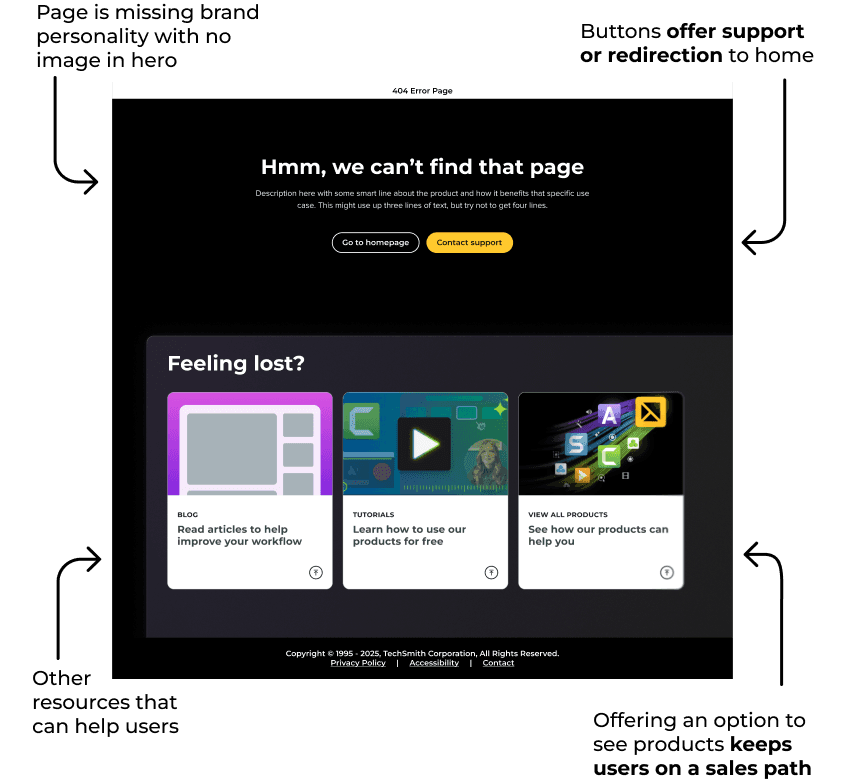
A mockup of a 404 page focused on utility and redirection. The top half features the text "Hmm, we can't find that page" and two prominent buttons for "Go to homepage" and "Contact support." Next a section labeled "Feeling lost?" contains three cards directing to the blog, tutorials, and the store page. Annotations state that the buttons offer support or redirection, and the resource cards keep users on a sales path, but mention that the page is missing brand personality because there is no image in the hero section.

Final design

The final design balances clarity with helpfulness, ensuring TechSmith users stay in the sales funnel even when a link fails.

Final takeaways

This project reinforced the importance of clear, directional copy in error states. I learned how thoughtful UX writing can reduce user frustration and turn a potential bounce into a successful redirection. 

Copy Email

Copy Email